Alert emails into PSA tickets.
Your monitoring sends alerts. Somebody opens each one and retypes it into Autotask. Xantevo reads them and raises the ticket the moment the email lands.
Pricing shown at checkout. Cancel whenever you like.
From: [email protected]
Subject: Device Offline

Device: NW-SRV-02
Site: Northwind Trading
Last seen: 09:14 today
Severity: High
How it works
Four steps. Then it runs itself.
Setup is a one-off. After that every alert of that shape is handled the same way, without anyone opening it.
Connect a mailbox
The Microsoft 365 mailbox your alerts already arrive in. Read-only until you say otherwise.
Describe one alert
Point at the fields you want: after Device:, after Site:. No regex needed.
Map it to your PSA
Choose the ticket type, queue, status and priority. Names, never ID numbers.
Leave it alone
Every matching alert becomes a ticket as it lands. Every attempt is logged, successful or not.
Why it holds up
Built by people who have worked a service desk.
The awkward parts of this job are the ones that decide whether a tool is worth keeping.
Push, not polling
Microsoft Graph pushes the message to Xantevo. The ticket exists seconds after the alert, not at the top of the next minute.
It never uses the sender
Alerts come from [email protected], not your customer. Xantevo identifies the company from the fields you mapped, never the From header.
It never drops one
If nothing identifies the company, the ticket is still raised against your fallback, carrying the reason. A lost alert is worse than a misfiled one.
Everything on the record
Every attempt is logged with what the PSA actually said. When something does not appear, you can see why in one screen.
Credentials encrypted
PSA keys are encrypted at rest. Your data is isolated from every other customer, and that isolation is tested on every change.
Your retention, your rules
Keep parsed email for as long as you want and no longer. Search it, bulk delete it, or have it expire on a schedule.
The product
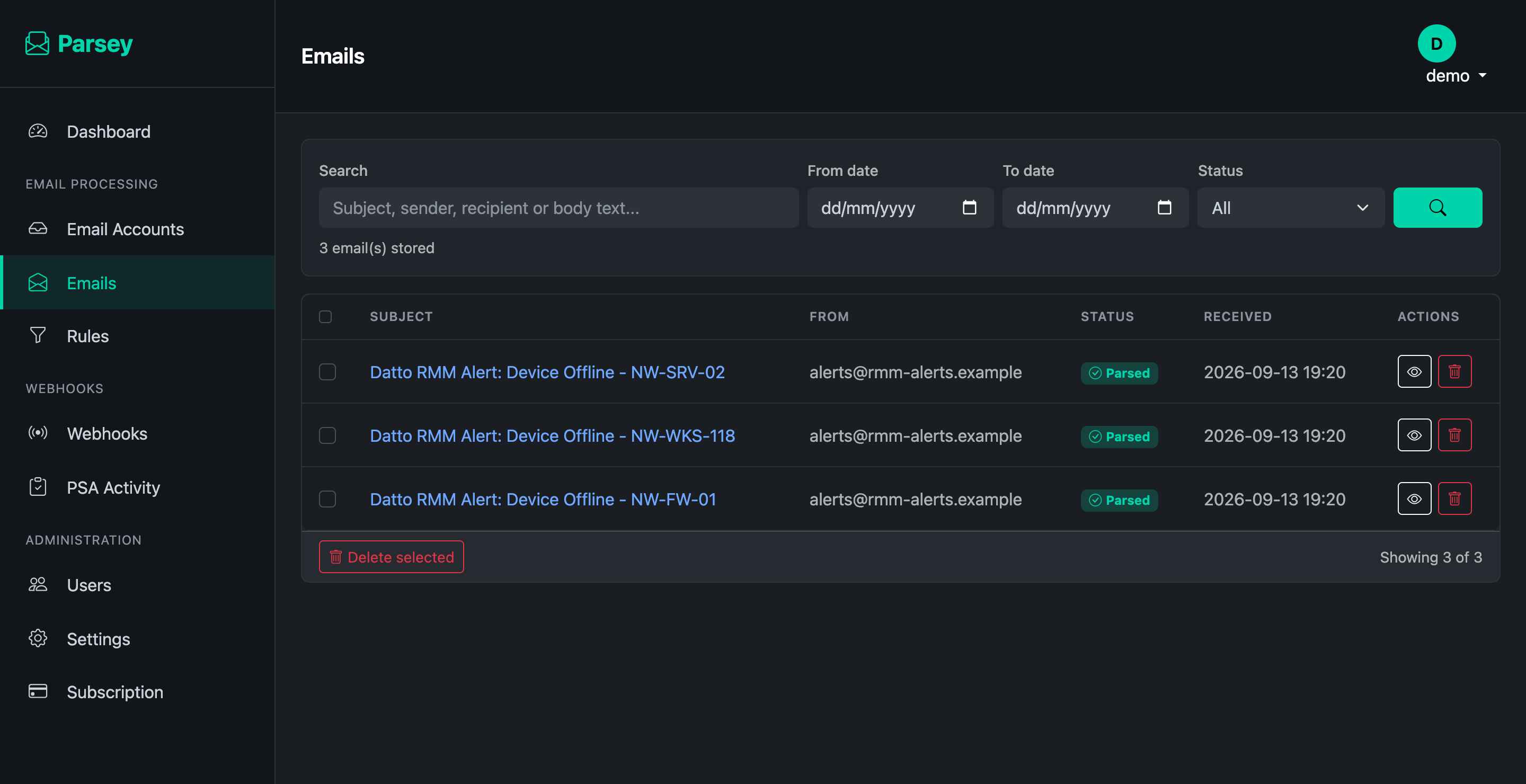
No mockups. This is the running thing.
Xantevo keeps every message it parsed, what it pulled out, and what happened when it reached your PSA.
Integrations
Raises tickets where you already work.
Tickets or opportunities, mapped to your own statuses, queues and priorities. Shown by name, never by ID.
Autotask
Tickets and opportunities. Zone discovered automatically from your API user.
HaloPSA
Tickets and opportunities, including Halo's shared ticket-type model.
ConnectWise
In build. The mapping and company resolution are already shared with the others.
Pricing
One price. Everything in it.
No per-seat maths, no connector tiers, no setup fee. Paddle handles the payment and the VAT, so Xantevo never sees your card.
Subscribe and we email you a link to set a password. You will not be asked to fill in a form first.
- Unlimited mailboxes and rules
- Autotask and HaloPSA included
- Microsoft 365 push delivery
- Webhooks and a REST API
- Cancel any time, from Paddle
FAQ
Common questions.
Does it need access to send email?
It reads the mailbox you connect and marks messages as handled. It does not send email on your behalf.
What if an alert does not match any rule?
It is stored and marked unmatched, so you can see what arrived and write a rule for it. Nothing is silently discarded.
How does it know which customer an alert belongs to?
From the fields you mapped, in order: a contact's email address, then a company name, then a bare domain in the body. Never the From header, because alerts come from your monitoring rather than your customer.
What happens if it cannot tell?
The ticket is raised anyway, against a fallback company you choose, with the reason written into it. Losing an alert is worse than filing it in the wrong place.
Can I self-host it?
Not today. It runs as a hosted service so push notifications and subscription renewals are handled for you.
How do I cancel?
From the billing portal, in two clicks. Your rules and history are kept, so resubscribing puts everything back as it was.